Your Ad Here

Free Articles: Free Online Articles Directory
Automotive | Business | Computers | Entertainment | Finance | Food | Health | Home and family | Internet


Your Ad Here
Free Articles


Legal | Science | Self Improvement | Shopping | Society | Sports | Technology | Travel | Writing


http://site-free-articles.blogspot.com

Showing posts with label Downloads. Show all posts

Wednesday, June 18, 2008

Get a Guinness World Record Certificate for Firefox 3

You can get yourself a Guinness World Record Certificate for helping Firefox by downloading Firefox 3 Today. If you have already downloaded it then you can get your Firefox 3 Download Day Certificate. Here’s my Certificate.

Firefox Certificate 

Download Your Certificate from spreadfirefox.com

Monday, June 2, 2008

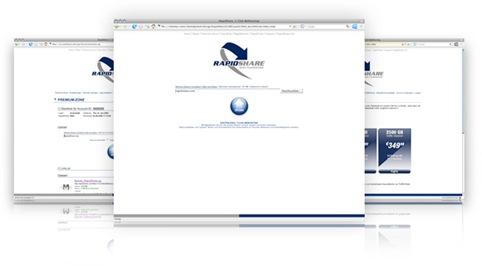
All new Rapidshare is coming soon

Rapidshare.com - the most popular hosting service is now re-launching their website, it will come with a new layout, according to Rapidshare, they have improved their sites usability, may be users will now be able to download information more easily. There is no info on when the new site will be live.

new rapidshare

Here's what they say -
"We are going to launch our new website soon. We have changed our design and improved the usability."

Monday, May 26, 2008

Nokia Maps 2.0 Official Release

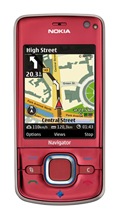
02_Nokia_6210_Navigator_lowres I told you about the Nokia Maps 2.0 Beta back in February. Nokia now announced the official release of Nokia Maps 2.0. Downloaded over 240,000 times since announced in February, Nokia Maps 2.0 has improved its optional Car Navigation, enhanced its pedestrian navigation, added multimedia city guides, now offers satellite images, and is sporting a redesigned user interface.

Nokia Maps 2.0 and the current commercial version of the Nokia Maps Loader is freely* available for selected devices. For download and more information, visit http://www.maps.nokia.com

Thursday, May 22, 2008

Microsoft Released - Windows Feature Comparison (XP vs Vista)

microsoft-logo No more wondering about what new features Vista SP1 got. Microsoft just released the Windows Feature Comparison (The White Paper). It is a pdf file which helps you to compare the features of Windows OS. You can check the capabilities of Windows XP with SP3 and Windows Vista with SP1. Capabilities like security, management, deployment, mobility, and productivity.

Download

Windows Feature Comparison

Thursday, May 15, 2008

Microsoft Virtual PC 2007 SP1 Now Available to Download

Microsoft just releases the Virtual PC 2007 SP1 and is now available to download for free. Microsoft Virtual PC 2007 lets you run multiple operating systems on a single machine. You can switch between virtual machines with one click. Use virtual machines to run legacy applications, provide support, train users, and enhance quality assurance.

The Virtual PC requires a 400 MHz Pentium-compatible processor (1.0 GHz or faster recommended), and requires approximately 35 MB of disk space.This Virtual PC runs on Windows Vista Business, Windows Vista Enterprise, Windows Vista Ultimate, Windows XP Professional, or Windows XP Tablet PC Edition, Windows Vista SP1 (Enterprise, Business, Ultimate), Windows XP SP3.

via: WinBeta

Tuesday, May 6, 2008

High Resolution Ubuntu Wallpapers

I have posted some fantastic high resolution logos before. You might want to take a look at these High Resolution Logos.

High Resolution (1280x905) YouTube Logo
High Resolution (3600x1500) Google Logo

You might also want to see the

The secret of two hidden messages in Google 2008 Logo

Here is what I found today. Two High resolution Ubuntu wallpapers. While surfing the net I stumbled upon a site blogulate.com and found these glassy and shiny Ubuntu pictures.

ubuntu_high_resoluion_logo ubuntu_high_resoluion_logo_1280x1024

Friday, May 2, 2008

Get a Free Licence code of iolo System Mechanic - Download Now!

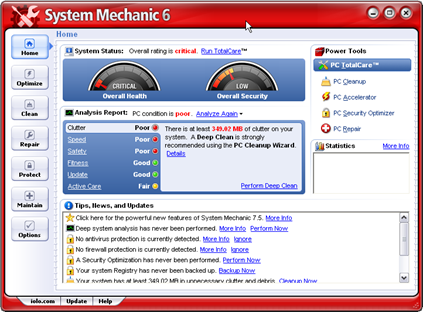
The System Mechanic is one of the most popular PC tuning software's. It makes your old PC run like new. It automatically repairs errors and fragmentation, cleans out clutter, and tunes up your PC so that it runs smoothly, reliably, and up to 300% faster!

iolo System Mechanic

Features of System Mechanic

  • Remove junk files and folders and duplicate files
  • Protect against security vulnerabilities
  • Protect your privacy
  • Stop popups
  • Block online advertisements (Internet Explorer, version 5.01 and later)
  • Clean your system registry
  • Fix or remove broken shortcuts
  • Uninstall or relocate software
  • Get rid of old uninstaller links
  • Recover deleted data
  • Perform routine PC maintenance through a wizard or a scheduler
  • Optimize your Internet performance
  • Manage your system startup
  • Customize Windows
  • Speed up your hard drives
  • Manage your memory
  • Track system changes
  • Remove parasites including spyware, adware, and keyboard loggers

How to Get a Free System Mechanic License code

  • Visit this page and click the Continue button.
  • You will see a page with the Item Code, Description, quantity etc. It will show you the order total $0.00. Click the Secure Checkout button.
  • Fill the form, make sure to use a real email address, you will get the licence code via email. Click Continue button.
  • Make sure Email Delivery is selected. Click Continue button.
  • It will show you the Review Order page. Click the Place Order button.
  • Here you will get a Thank You page showing your order number.
  • Download the System Mechanic if you have not Downloaded it.
  • Check your email, get the licence key and enter it in the software.

The Licence you get is valid only for one year.

Thanks to Raymond who found this fantastic offer and shared with us.

Thursday, April 17, 2008

Picasa 2.7 Released for Linux, Download Now

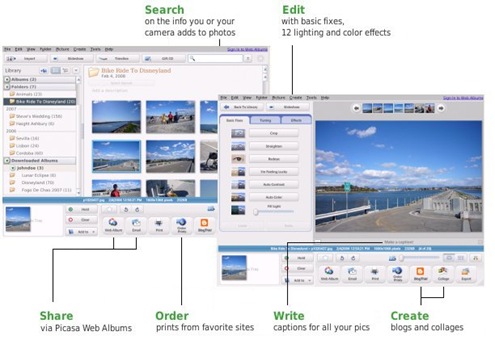
Here is Picasa 2.7 a new version of Picasa for Linux and is now available to Download for Linux users.

Picasa for Linux

"Picasa is software that helps you instantly find, edit and share all the pictures on your computer. Every time you open Picasa, it automatically locates all your pictures (even ones you forgot you had) and sorts them into visual albums organized by date with folder names you will recognize. You can drag and drop to arrange your albums and make labels to create new groups. Picasa makes sure your pictures are always organized. "

This release includes the same feature as in Picasa 2.7 for Windows.

Web album upload and download, folder hierarchy views, better raw support, localization in many languages. For those interested in open source aspect of Picasa 2.7, This software uses these open source technologies: WINE, Mozilla.

New Features:

  • Upload to Picasa Web Albums
    Use the new "Web Album" button to post your best photos online to share with friends and family.
  • Download from Picasa Web Albums
    Download albums from Picasa Web Albums directly into Picasa using Firefox.
  • Save edits to disk
    Save edits, undo saves, and revert to the original file with ease. We've got batch saving too! Picasa will even match the jpeg quality of the original. Right-click on your saved files to try the new "locate original" feature.
  • Folder hierarchy views
    Browse through folders Explorer-style. Use the button at the top of your Albums List to try them out.
  • Improvements to Import
    Import into an existing folder- we know you've wanted this feature for a long time! We've made importing photos from your camera faster too.
  • Better RAW support
    Now you can work with RAW files from the Canon 30D, the Nikon D200, Adobe DNG files, and more.
  • Internationalization Improvements
    Enable support for non-english languages.
  • Many other enhancements
    Larger thumbnails, better caption editing, ability to configure the row of buttons, special "Starred Photos" album, search by ISO and focal length.

With these all new features Picasa 2.7 also has some known issues. To see the knows issues goto Linux Download Page.

Download Picasa 2.7

Wednesday, April 16, 2008

Google Earth 4.3 Available with a Whole New World

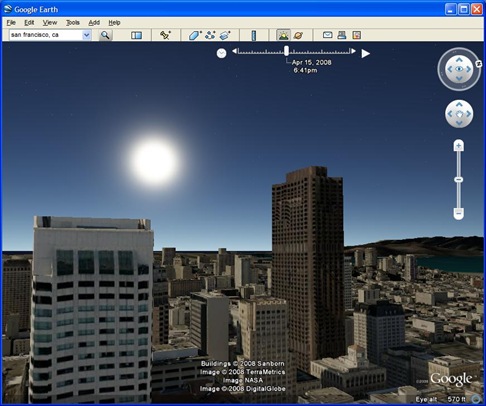
Today Google released the latest version 4.3 of Google Earth. Google added lot more feature in this latest version and with all of the great user-created buildings in the 3D Warehouse. With the Redesigned Navigation system you can fly very smoothly from the heavens down to the streets of your town. The most important feature I like is, you can view the exact date of a particular satellite image.

Google Earth 4.3

Here are some of the Feature available in Google Earth 4.3

  • New navigation - We've improved the zoom control so you can swoop down from outer space to street level in a single seamless motion. And with the addition of the "look" joystick, you can look up at buildings or across a mountain range.
  • More, faster 3D buildings - It's more fun to navigate through a lot of new 3D content. Besides adding thousands of buildings contributed by people around the world, we've added dozens of photo-textured cities and towns in the U.S. and elsewhere.
  • Street View - The popular Google Maps feature makes its Google Earth debut.
  • Sunlight feature - Never seen the sunrise over the Alps? Now you can.
  • New languages - There are 12 new languages, including Danish, English (UK), Spanish (Latin American), Finnish, Hebrew, Indonesian, Norwegian, Portuguese (PT), Romanian, Swedish, Thai, and Turkish.
  • Imagery Dates - As I said above, You will be able to see the dates of a particular satellite image.

Here is a Video Tour of Google Earth 4.3 from gearthblog.com.

Download - Google Earth 4.3

Friday, April 11, 2008

Registry Hack to Keep Similar Taskbar Buttons always Grouped

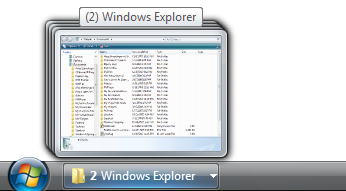
The Windows built-in feature of Grouping Similar Taskbar Buttons is nice, it helps you to remove clutter from your Taskbar. This feature groups your Similar Taskbar buttons in one when your Taskbar starts to get full it will start grouping applications together to conserve space.

taskbar-group

For Instance, If you have opened 10 or more Internet Explorer windows at a time, it will show you only one window in the Taskbar, if you have the grouping feature enabled.

The only thing is that it only works when the Taskbar has filled up with the Windows. The CyberNet blog offers a customizable registry tweak that sets this feature to Group Similar Taskbar buttons with two or more windows open.

Not Everyone use this feature, but for those people who use it this hack can be a real helper. You can download a registry fix file from CyberNet Blog, or if you are an Advanced user and know your way around the Registry you can make the change at the following key.

You’ll need to navigate to this location:

HKEY_CURRRENT_USER \ Software \ Microsoft \ Windows \ CurrentVersion \ Explorer \ Advanced

Then you’ll need to create a new DWORD (32-bit) value called TaskbarGroupSize there. A value of “0″ will disable the feature, while a larger numerical setting (2 or higher) will initiate the grouping when that number of similar windows is open.

CyberNet via Lifehacker

Thursday, April 10, 2008

Increase your Productivity with DarkCopy

DarkCopy

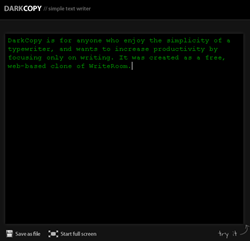
DarkCopy is a distraction-free online full-screen text editor, it is free and is a web-based clone of WriteRoom.

DarkCopy lets you only focus on your work may be your blog post or your any work you are writing, so you can work distraction free. Anyone who enjoy the simplicity of a typewriter, and wants to increase productivity by focusing only on writing can use DarkCopy.

When you finish your writing, you can save it as .txt file. No Registration is required to use this online text editor.

Wednesday, April 9, 2008

Tab Effect: Give a 3D Flipping Tab Effect in Firefox

Tab Effect

Tab Effect is a Mozilla Firefox add-on, which adds a 3D cube rotation effect when you flip or change the Tabs. This extension uses DirectX 8 to create the 3D Cube rotation effect while switching the tabs.

This add-on is good to impress your friends. But Not that much important for a geek as it slows down your browsing speed. I used it for a while and got bored then removed it.

Download Tab Effect

Tuesday, April 8, 2008

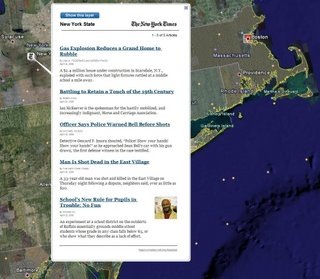
Now use Google Earth to Browse Latest News Geographically

beijing-1

In collaboration wih The New York Times Google developed a new layer for Google Earth which will provide users the ability to browse the day's New York Times Headlines  Geographically. This feature is just like the Yahoo NewsGlobe where you can Visualize Breaking News on a Rotating 3D Globe.

"The New York Times offers geo-coded news, and Google Earth offers the platform for reading that news in a 3D browser. This is the first time we've endeavored to show news updated in real time, and we're very excited to work with this first-class publication to bring you the latest and greatest news." - The Lat Long Blog

To use this feature you must have the latest version of Google Earth. To Enable this feature just make sure the "Geographic Web" folder is turned on. Click on a New York Times placemark and you will see the latest news and features pertaining to that geographic region.

Now just go to the regions from which you want your daily dose of News. If the region has any news then you will find New York Times placemarks. Click on that placemark and you will get all news from that region.

This layer is updated every 15 minutes to offer the latest headlines for those with a big news appetite.

nyt_nystate

Wednesday, April 2, 2008

OpenDownload: Run Downloads in Firefox Instead of Saving Them

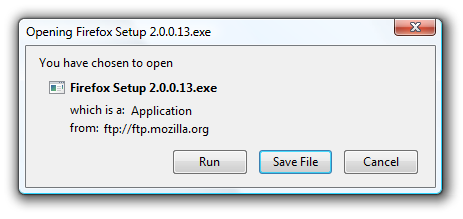
firefox-open-run-download

The difference between Internet Explorer and Firefox while downloading a file from internet is, Firefox will only let you save the file to your computer and then you have to Run it manually. Internet Explorer gives you facility to Run the file from its location (the file you run is downloaded and stored in a temporary folder). By this you will save the Hard Disk Space because the data within temporary folder will be deleted periodically. It will help when you want to use a file just once.

OpenDownlaod is a extension Firefox which adds a Run option like IE in Firefox download dialog box. When you select the Run option, it will download the file to your temporary directory. Then the file will run with the default application. After 24 hours the file will automatically be deleted from your system.

[via CyberNet]

Sunday, March 30, 2008

5 Ways to Know your Systems Uptime

SystemUptime

Uptime is a measure of the time a computer system has been "up" and running.

The system uptime is very important for system administrators. Many times normal users like to keep the track of their PC.

Here I am showing 5 ways (Some Commands and Some Very Small and Free Utilities) to know How long has Your System been Running without Reboot.

  • Using systeminfo command

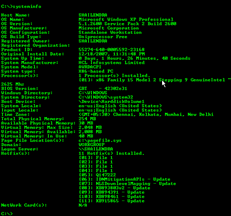
The systeminfo command tells us all about a computer system. Here you can get the system uptime as well as the original date and time of the OS installation. This command works on Windows XP Pro. Not tested in XP Home (Some users said it wont work in XP Home).

  1. Click on Start > Run
  2. Type CMD (Will open Command Terminal)
  3. Type systeminfo
  4. Find system uptime there, you will also get install date and time above the uptime

System Uptime

In the above screenshot, you can see the format of the system uptime is Days, Hours, Minutes, Seconds.
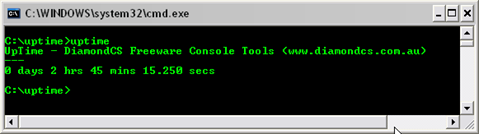
  • DC Uptime

DC Uptime

DC uptime is a simple and very small utility command line tool designed to view how long your computer has been running, accurate to the second.

This tool support almost all Windows OS.

Download Here

  • Easy HR Computer Uptime

Easy HR Computer Uptime is a simple tool designed to show you the computer name, and how long your computer has been running (uptime) since it was last rebooted. Easy HR Computer Uptime also tells you the current user name and the current running Operating System.

This tool supports Windows 98, Me, XP

Download Here

  • System Uptime Monitor

System Uptime Monitor

This is a small GUI tool which shows the System Uptime, the System Startup Date and Time. This tool has another feature that you can schedule any task like Shutdown, Logoff, Restart, Hibernate, Alert or any specific task you want to execute based on the System Uptime.

This tool supports Windows 2000, Server 2003, XP, Vista

Download Here
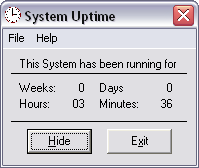
  • System Uptime

System Uptime2

This small GUI utility will display your current System Uptime in Weeks, Days, Hours and Minutes. There is no install/uninstall. Download XP_SystemUptime.zip and extract the EXE file to your hard drive. Create a shortcut to XP_SystemUptime.exe in your Startup folder, or anywhere you desire. To remove System Uptime, simply delete the EXE file and any shortcut you create. This application is freeware.

Windows XP (may run on Windows 2000). Requires VB6 Runtime Library (installed on XP by default).

Download Here

If you know more utilities for System Uptime please let us know. You can send it through comments.

Friday, March 28, 2008

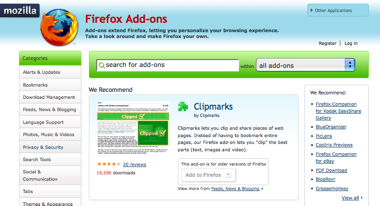
The Redesigned Mozilla Add-ons website is now Live!

Great news from Basil Hashem, Mike Morgan and Madhava Enros: the refreshed, redesigned and ready for interaction Mozilla Add-ons web site is now live!

Mozilla

Here’s what Basil had to say:

The AMO team has been hard at work for the last many months on a major site redesign and is pleased to announce the availability of the new AMO site. This is a significant release and chock-full of goodies for end users and add-on authors alike. The focus has been predominantly to provide a visual refresh, simplify navigation and rework the add-on developer tools area. But that doesn’t quite capture just how much effort has gone into this release. So, here is a full rundown of all the changes.

The site that’s served over 600 million add-on downloads is now even more useful for more people than ever before.

[Mozilla Blog]

Tuesday, March 25, 2008

Microsoft Released another Version of Windows XP SP3

Microsoft on Tuesday released another version of Windows XP Service Pack 3, but the software remains in the testing phase.

"Windows XP SP3 RC2 Refresh was made publicly available today via Microsoft Download Center," Microsoft said in a statement. "We've made this release candidate available in order to receive further user feedback prior to the release of Windows XP SP3."

[via: CNET]

Sunday, March 23, 2008

Upload and Share Data upto 5 GB with File Dropper

FileDropper

FileDropper.com is a file hosting site which allow user to upload and share files upto 5 GB. Yes, you read it right. You can upload video files, audio files or any data upto 5 GB. This is one of those free hosting site, which are giving large space to users for uploading there data.

FileDropper.com was created as a fresh alternative to sites like MegaUpload and RapidShare. Unlike those sites, it do not reel the user in and make them wait for annoying countdown timers.

Your files are kept forever as long as they are being downloaded. This site don't have a very important feature that is upload progress notification, which is a very big deal when uploading large data files.

FileDropper.com via Lifehacker

Friday, March 21, 2008

Download Windows Vista SP1 Product Guide

A comprehensive feature-by-feature guide to Windows Vista with Service Pack 1. With contributions from people who actually worked on the product, this is the definitive resource to learn about Windows Vista. The Windows Vista Product Guide is available in XPS and PDF formats.

Download the product guide in the file format of your choice. It is available as an XPS (25.0MB) or PDF (18.9MB). If you want to use XPS format you will need to install the XPS reader first (which is included in Windows Vista)

Download Windows Vista SP1 Product Guide [via Winbeta]

Thursday, March 20, 2008

Shup - Capture and Upload Screenshots to Several Storage Services like Flickr, Imageshack, Photobucket, Stashbox

Shup Logo

There are so many tools available to download images from storage services like Flickr. For instance you can get FlickrDown - A Flickr Mass Downloader to download images from Flickr. But some useful tools are available to upload images to storage services like Flickr, Imageshack, Photobucket, Stashbox.

Shup is a great way to capture and upload Screenshots to several Storage Services. It is a small memory resident app that can upload files to several online storage services straight from Windows’ right-click context menu. Shup is great for uploading all kinds of files, especially when combined with the included Windows shell extension.

Shup About Window

Shup can upload files to these Storage Services

  1. Flickr
  2. ImageShack
  3. PhotoBucket
  4. Stashbox
  5. REAPER Resource Repositorium
  6. Waffle Images

You can also create custom site profiles and upload to your own web server; they even provide a sample PHP script to get you started.

Shup keeps track of all your uploads in a searchable database, as well as a local archive of uploaded images (optional). The history window displays information such as the local filename and URL of the uploaded file.

Built-in Image Editor

As a Shup user, most of your time will likely be spent in the image editor, as it is designed to make creating/editing and uploading images as easy as possible. The image editor provides a paintbrush and a highlighter pen for drawing, as well as a rectangle tool for flood filling and cropping your images. And it supports unlimited-ish levels of undo, so you can roll back changes if you like. You can also upload your image as many times as you want, directly from the editor (known as checkpointing around Shup HQ).

Screenshot Capture

You can use Shup's system-wide hotkeys to capture your desktop or a specific window into the image editor for manipulation or upload. The hotkeys are customizable and optional, even, for those who like to live outside the box.

Operating System Support

Shup supports Windows 2000, Windows XP, and Windows Vista.

Download Shup v0.22 (656kb)